background

Showing posts with label Cricut Maker. Show all posts

Saturday, January 4, 2020

All State Locker Mums


I have been making locker mums for our All State Music students for the last few years and never seem to get a good photo.  Here are this years and the photo is a bit better.  Below are the steps to create them and I hope that some other parents will celebrate their music students too!
I will try and figure our how to share this in the latest Cricut DS and post it.

Supplies
Card stock in the colors of your school (Black and Gold)
White card stock
Grey card stock, or color that works with your school colors
Anna Griffin Musical Dresden Die Cuts
Cricut Maker Machine
Cricut Scoring Wheel
Glue Gun
Cricut Medium Tip Gold Marker
Cricut Ribbons and Rossetts 
Cricut Holiday Frames and Tags
Cricut 3 Birds-Life's a Party
Cricut When I was a Kid
Cricut Basic Shapes
Cricut Sans Original Font
2" Circle Punch
Creative Memories Circle Cutting tool

Cut the rosettes from the Cricut Ribbons and Rosettes cartridge so that you can fit 4 strips in a 8 1/2" x 11" piece of card stock.  Be sure to use the Cricut Maker with the Scoring wheel!  Fan fold the strip and glue it together making a loop.  Punch 2 circle for every rosette in matching card stock.  Glue the rosette using a glue gun and inside a Creative Memories circle cutting guide.  The photo below shows an oval cutting guide but I use the circle ones that same way and it makes this so much easier.  Glue the circle on one side, allow it to cool and flip to glue the circle on the other side.


Print and cut the Cricut file after adding your students names and award categories as needed.  Glue the pieces as shown, using the glue glue to add the center.  Cut notches in the faux "ribbons" that hang from the bottom.  Glue ribbons to the back of the rosette with glue gun.


Sunday, August 26, 2018

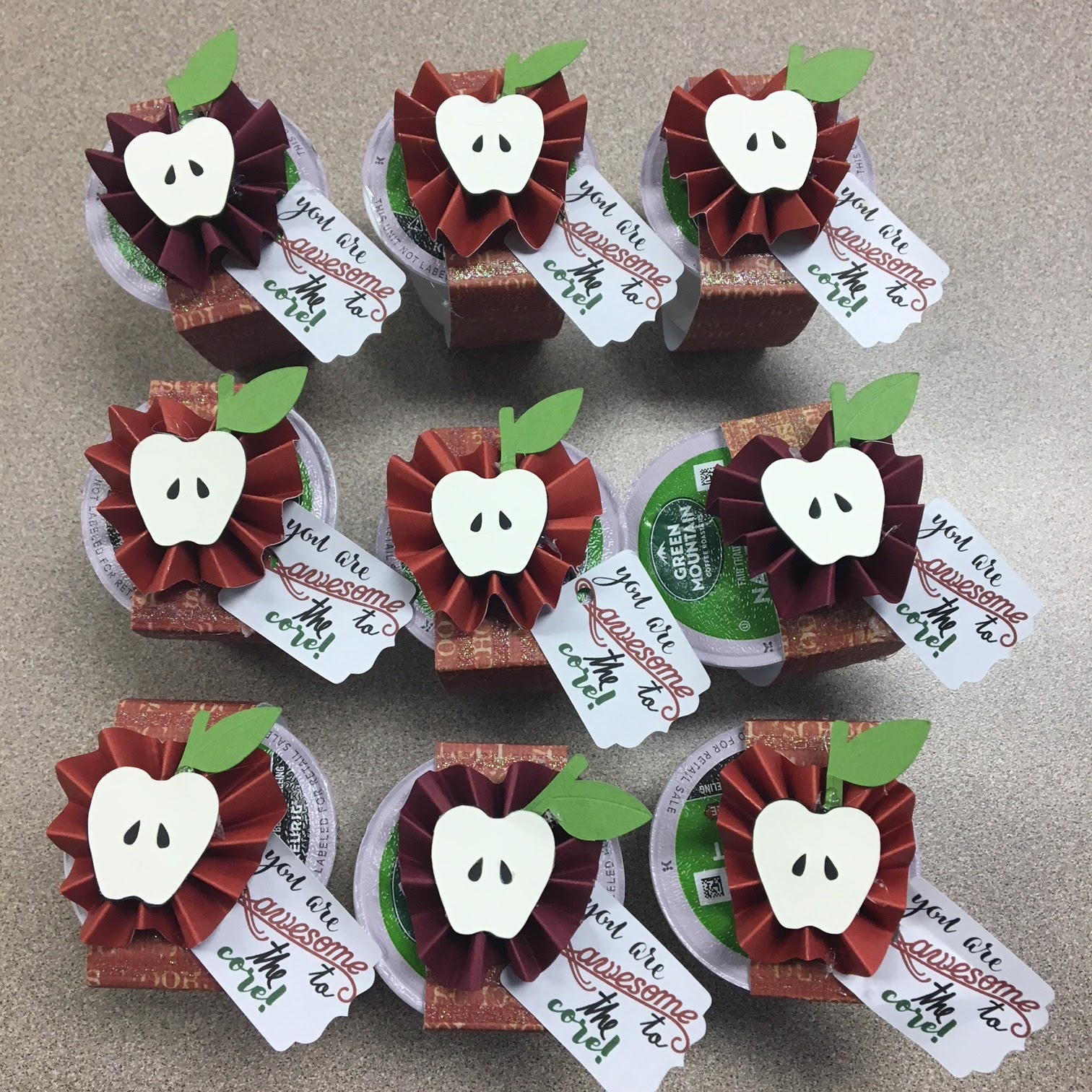
K-Cup Teacher Appreciation Gift


I thought it would be nice to let the teachers know how much I appreciate them at the start of the year.   The Cricut Design Space has the cutest apple rosettes in the Scoring Wheel Rosettes cartridge.  I didn't want to make the box because it would take too much paper and I wanted to keep the cost down.  So I used the smaller apple in the cut and created a little tag that says you are awesome to the core.  I also created the wrap as a rectangle with score marks.  You can find the file here.


I loved using the scoring wheel for this project, but found my older computer did not do well with the score marks unless I had ONLY the design space open.  So, if you are like me and want to multitask while your Cricut Maker is scoring and cutting, use your phone for checking email or Facebook.


I was so impressed with how well the Cricut Maker cuts copy paper!  This will save me money on projects like this where I need a print and cut label.

LinkWithin

Related Posts with Thumbnails